PDFForm Module
Properties Methods Events Config Settings Errors
The PDFForm module offers PDF form management capabilities.
Syntax
SecurePDF.PDFForm
Remarks
The PDF specification defines seven interactive form field types:
- Button
- Checkbox
- Radio button
- Text box
- List box
- Combo box
- Signature
To begin, provide the input document as a file (InputFile) or byte array (InputData) and call Open. This method populates the Fields collection with the existing form fields in the document. When finished editing the form, call Close to close the document and save the changes to either OutputFile or OutputData.
Adding and Modifying Form Fields
The below sections contain instructions for adding and modifying each type of form field. Note that each of the following methods returns the index of the newly added field in the Fields collection, making it easy to access the PDFField object later. These objects' properties, such as their current values and dimensions, can then be adjusted to ensure the form meets your requirements.PDFForm includes three additional methods that allow you to customize the form field before it is created. SetPosition can be used to specify the form field's location (the page on which it is added and its position on the page). If SetPosition is not explicitly called, the field is placed on the first page of the document by default. SetFont can also be used to configure font properties (name, size, style, and color) for form fields that contain text.
Button Fields
A button (also known as pushbutton) field is a button on the form that simply responds as soon as it is clicked.
Because of this, it is the only form field that does not retain a permanent value.
Use the AddButton method to add a button field:
int buttonIdx = pdfform.AddButton("button", "Press Me");
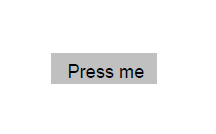
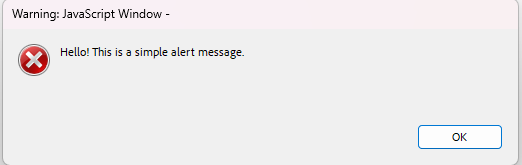
The action associated with a button field can be updated to perform specific tasks, such as displaying an alert or triggering a script.
The example below assigns a JavaScript action to display an alert message when the button is clicked.
pdfform.Fields[buttonIdx].Action = "app.alert('Hello! This is a simple alert message.');";
Checkbox Fields
A checkbox represents a form field that can be toggled between two states: on and off.
Use the AddCheckBox method to add a checkbox field:
int checkBoxIdx = pdfform.AddCheckBox("checkbox", false);

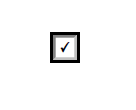
The value associated with a checkbox field determines whether it is toggled on or off.
The example below toggles the checkbox on.
pdfform.Fields[checkBoxIdx].Value = "true";
Radio Button Fields
Radio button fields are a set of related buttons, each of which - just like checkboxes - can be in one of two states: on or off.
Radio buttons belong to a radio group in which at most one button in the group may be in the on state at a time.
Use the AddRadioButton method to add a radio button field:
int radioButtonIdx = pdfform.AddRadioButton("radiobutton", "radioGroup", false);
int radioButton2Idx = pdfform.AddRadioButton("radiobutton2", "radioGroup", true);

A radio button field can be modified to change its state.
The example below selects the first radio button, switching it on, which automatically deselects the other radio button in the same group, switching it off.
pdfform.Fields[radioButtonIdx].Value = "true";

Text Box Fields
A text box field is box or space that allows the user to enter and edit text in a designated area on the form.
It can contain default text and can also be configured as a password field to mask the input.
Use the AddTextBox method to add a text box field:
int textBoxIdx = pdfform.AddTextBox("textbox", "Enter your name here", false);

As shown in the example below, the value of a text box field can be modified to fill it with the desired text.
pdfform.Fields[textBoxIdx].Value = "My name is John Doe";

List Box Fields
A list box field is a scrollable choice field that displays a list of selectable text items the user can choose from.
Use the AddListBox method to add a list box field:
int listBoxIdx = pdfform.AddListBox("numbers", "One\r\nTwo\r\nThree", "One");
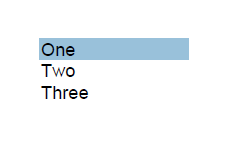
A list box field can be modified to select one of the options.
The example below updates the list box field to select the option "Three".
pdfform.Fields[listBoxIdx].Value = "Three";

Combo Box Fields
A combo box field is a choice field that consists of a drop-down list of text items the user can choose from.
At most one item may be selected at a time.
Compared to list box fields, combo box fields include an editable text box that allows the user to enter a custom value in addition to the predefined options.
Use the AddComboBox method to add a combo box field:
int comboBoxIdx = pdfform.AddComboBox("colors", "Red\r\nGreen\r\nBlue", "Red");
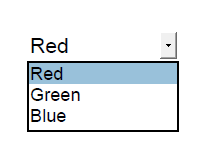
A combo box field can be modified to select one of the options.
The example below updates the combo box field to select the option "Blue".
pdfform.Fields[comboBoxIdx].Value = "Blue";

Removing Form Fields
The RemoveField and RemoveFieldByName methods can be used to remove a form field from the document. These methods not only deactivate the field on the form but also remove the corresponding PDFField object from the Fields collection.RemoveField removes a form field identified by its index, whereas RemoveFieldByName removes a field by using its name.
pdfform.RemoveField(buttonIdx);
pdfform.RemoveFieldByName("checkbox");
Property List
The following is the full list of the properties of the module with short descriptions. Click on the links for further details.
| DecryptionCert | The decryption certificate. |
| Fields | The entire collection of form fields contained in the document. |
| Font | The currently set font. |
| InputData | A byte array containing the PDF document to process. |
| InputFile | The PDF file to process. |
| OutputData | A byte array containing the PDF document after processing. |
| OutputFile | The path to a local file where the output is written. |
| Overwrite | Whether the module should overwrite files. |
| Password | The password to decrypt the document with. |
| PDFAConformanceLevel | The PDF/A conformance level of the document. |
| Position | The currently set position. |
Method List
The following is the full list of the methods of the module with short descriptions. Click on the links for further details.
| AddBitmap | Adds a bitmap image to the document. |
| AddButton | Adds a button field to the form. |
| AddCaption | Adds a caption for a form field. |
| AddCheckBox | Adds a checkbox field to the form. |
| AddComboBox | Adds a combo box field to the form. |
| AddDrawing | Adds a vector drawing to the document. |
| AddListBox | Adds a list box field to the form. |
| AddNewPage | Adds a new blank page to the document. |
| AddRadioButton | Adds a radio button to the form. |
| AddTextBox | Adds a text box field to the form. |
| Close | Closes the opened document. |
| Config | Sets or retrieves a configuration setting. |
| CreateNew | Creates a new PDF document. |
| Encrypted | Checks whether the document is encrypted. |
| FindField | Locates a field in the document. |
| Flatten | Flattens the form by removing the interactive form fields. |
| GetFieldProperty | Returns the value of a field property. |
| GetPageProperty | Returns the value of a page property. |
| Open | Opens the document for processing. |
| RemoveField | Removes a field from the document. |
| RemoveFieldByName | Removes a field from the document. |
| Reset | Resets the module. |
| SetFieldProperty | Sets the value of a field property. |
| SetFont | Sets the font properties to be applied to text. |
| SetPosition | Sets the page and position for new form fields, text blocks, or images. |
Event List
The following is the full list of the events fired by the module with short descriptions. Click on the links for further details.
| DocumentInfo | Fired when the document has been loaded into memory. |
| Error | Fired when information is available about errors during data delivery. |
| FontLookup | Fired when a required font is missing. |
| Log | Fired once for each log message. |
| Password | Fired when the module detects that the document is encrypted with a password. |
| RecipientInfo | Fired for each recipient certificate of the encrypted document. |
Config Settings
The following is a list of config settings for the module with short descriptions. Click on the links for further details.
| AutoTurnPages | Whether to change the page automatically upon exceeding the upper or lower page boundary. |
| CompressStreams | Whether to compress stream objects. |
| DefaultPageHeight | The default height for newly added pages. |
| DefaultPageWidth | The default width for newly added pages. |
| FallbackFont | The fallback font. |
| FontPaths | The font search paths. |
| FontPolicy | The font policy to follow. |
| KeepPositionOnInsert | Whether to keep the current position after inserting an element. |
| ListboxFlatten | The flattening mode for list box fields. |
| LoadMedia | Whether to load images from the document. |
| LogLevel | The level of detail that is logged. |
| OptionsFormat | The format of the options in a combo box or list box field. |
| OwnerPassword | The owner password to decrypt the document with. |
| PDFAPolicy | The PDF/A policy to follow. |
| RightPadding | The width of the whitespace gap to the right of newly added elements. |
| SaveChanges | Whether to save changes made to the document. |
| SystemFontNames | The system font names. |
| TempPath | The location where temporary files are stored. |
| UsedFonts | The fonts used in the document. |
| BuildInfo | Information about the product's build. |
| CodePage | The system code page used for Unicode to Multibyte translations. |
| LicenseInfo | Information about the current license. |
| MaskSensitiveData | Whether sensitive data is masked in log messages. |
| UseInternalSecurityAPI | Whether or not to use the system security libraries or an internal implementation. |
DecryptionCert Property (PDFForm Module)
The decryption certificate.
Syntax
public var decryptionCert: Certificate {
  get {...}
  set {...}
}
@property (nonatomic,readonly,assign,getter=decryptionCertEffectiveDate) NSString* decryptionCertEffectiveDate;

- (NSString*)decryptionCertEffectiveDate;

@property (nonatomic,readonly,assign,getter=decryptionCertExpirationDate) NSString* decryptionCertExpirationDate;

- (NSString*)decryptionCertExpirationDate;

@property (nonatomic,readonly,assign,getter=decryptionCertExtendedKeyUsage) NSString* decryptionCertExtendedKeyUsage;

- (NSString*)decryptionCertExtendedKeyUsage;

@property (nonatomic,readonly,assign,getter=decryptionCertFingerprint) NSString* decryptionCertFingerprint;

- (NSString*)decryptionCertFingerprint;

@property (nonatomic,readonly,assign,getter=decryptionCertFingerprintSHA1) NSString* decryptionCertFingerprintSHA1;

- (NSString*)decryptionCertFingerprintSHA1;

@property (nonatomic,readonly,assign,getter=decryptionCertFingerprintSHA256) NSString* decryptionCertFingerprintSHA256;

- (NSString*)decryptionCertFingerprintSHA256;

@property (nonatomic,readonly,assign,getter=decryptionCertIssuer) NSString* decryptionCertIssuer;

- (NSString*)decryptionCertIssuer;

@property (nonatomic,readonly,assign,getter=decryptionCertPrivateKey) NSString* decryptionCertPrivateKey;

- (NSString*)decryptionCertPrivateKey;

@property (nonatomic,readonly,assign,getter=decryptionCertPrivateKeyAvailable) BOOL decryptionCertPrivateKeyAvailable;

- (BOOL)decryptionCertPrivateKeyAvailable;

@property (nonatomic,readonly,assign,getter=decryptionCertPrivateKeyContainer) NSString* decryptionCertPrivateKeyContainer;

- (NSString*)decryptionCertPrivateKeyContainer;

@property (nonatomic,readonly,assign,getter=decryptionCertPublicKey) NSString* decryptionCertPublicKey;

- (NSString*)decryptionCertPublicKey;

@property (nonatomic,readonly,assign,getter=decryptionCertPublicKeyAlgorithm) NSString* decryptionCertPublicKeyAlgorithm;

- (NSString*)decryptionCertPublicKeyAlgorithm;

@property (nonatomic,readonly,assign,getter=decryptionCertPublicKeyLength) int decryptionCertPublicKeyLength;

- (int)decryptionCertPublicKeyLength;

@property (nonatomic,readonly,assign,getter=decryptionCertSerialNumber) NSString* decryptionCertSerialNumber;

- (NSString*)decryptionCertSerialNumber;

@property (nonatomic,readonly,assign,getter=decryptionCertSignatureAlgorithm) NSString* decryptionCertSignatureAlgorithm;

- (NSString*)decryptionCertSignatureAlgorithm;

@property (nonatomic,readwrite,assign,getter=decryptionCertStore,setter=setDecryptionCertStore:) NSString* decryptionCertStore;

- (NSString*)decryptionCertStore;
- (void)setDecryptionCertStore :(NSString*)newDecryptionCertStore;

@property (nonatomic,readwrite,assign,getter=decryptionCertStoreB,setter=setDecryptionCertStoreB:) NSData* decryptionCertStoreB;

- (NSData*)decryptionCertStoreB;
- (void)setDecryptionCertStoreB :(NSData*)newDecryptionCertStore;

@property (nonatomic,readwrite,assign,getter=decryptionCertStorePassword,setter=setDecryptionCertStorePassword:) NSString* decryptionCertStorePassword;

- (NSString*)decryptionCertStorePassword;
- (void)setDecryptionCertStorePassword :(NSString*)newDecryptionCertStorePassword;

@property (nonatomic,readwrite,assign,getter=decryptionCertStoreType,setter=setDecryptionCertStoreType:) int decryptionCertStoreType;

- (int)decryptionCertStoreType;
- (void)setDecryptionCertStoreType :(int)newDecryptionCertStoreType;

@property (nonatomic,readonly,assign,getter=decryptionCertSubjectAltNames) NSString* decryptionCertSubjectAltNames;

- (NSString*)decryptionCertSubjectAltNames;

@property (nonatomic,readonly,assign,getter=decryptionCertThumbprintMD5) NSString* decryptionCertThumbprintMD5;

- (NSString*)decryptionCertThumbprintMD5;

@property (nonatomic,readonly,assign,getter=decryptionCertThumbprintSHA1) NSString* decryptionCertThumbprintSHA1;

- (NSString*)decryptionCertThumbprintSHA1;

@property (nonatomic,readonly,assign,getter=decryptionCertThumbprintSHA256) NSString* decryptionCertThumbprintSHA256;

- (NSString*)decryptionCertThumbprintSHA256;

@property (nonatomic,readonly,assign,getter=decryptionCertUsage) NSString* decryptionCertUsage;

- (NSString*)decryptionCertUsage;

@property (nonatomic,readonly,assign,getter=decryptionCertUsageFlags) int decryptionCertUsageFlags;

- (int)decryptionCertUsageFlags;

@property (nonatomic,readonly,assign,getter=decryptionCertVersion) NSString* decryptionCertVersion;

- (NSString*)decryptionCertVersion;

@property (nonatomic,readwrite,assign,getter=decryptionCertSubject,setter=setDecryptionCertSubject:) NSString* decryptionCertSubject;

- (NSString*)decryptionCertSubject;
- (void)setDecryptionCertSubject :(NSString*)newDecryptionCertSubject;

@property (nonatomic,readwrite,assign,getter=decryptionCertEncoded,setter=setDecryptionCertEncoded:) NSString* decryptionCertEncoded;

- (NSString*)decryptionCertEncoded;
- (void)setDecryptionCertEncoded :(NSString*)newDecryptionCertEncoded;

@property (nonatomic,readwrite,assign,getter=decryptionCertEncodedB,setter=setDecryptionCertEncodedB:) NSData* decryptionCertEncodedB;

- (NSData*)decryptionCertEncodedB;
- (void)setDecryptionCertEncodedB :(NSData*)newDecryptionCertEncoded;
Remarks
This property is used to provide the certificate used for decryption. Note that this certificate must have a private key associated with it.
Please refer to the Certificate type for a complete list of fields.Fields Property (PDFForm Module)
The entire collection of form fields contained in the document.
Syntax
public var fields: Array<PDFField> {
  get {...}
}
@property (nonatomic,readonly,assign,getter=fieldCount) int fieldCount;

- (int)fieldCount;

- (NSString*)fieldAction:(int)fieldIndex;
- (void)setFieldAction:(int)fieldIndex :(NSString*)newFieldAction;

- (NSString*)fieldAltName:(int)fieldIndex;
- (void)setFieldAltName:(int)fieldIndex :(NSString*)newFieldAltName;

- (NSString*)fieldCaption:(int)fieldIndex;
- (void)setFieldCaption:(int)fieldIndex :(NSString*)newFieldCaption;

- (NSString*)fieldDefaultValue:(int)fieldIndex;
- (void)setFieldDefaultValue:(int)fieldIndex :(NSString*)newFieldDefaultValue;

- (NSString*)fieldName:(int)fieldIndex;
- (void)setFieldName:(int)fieldIndex :(NSString*)newFieldName;

- (int)fieldType:(int)fieldIndex;

- (NSString*)fieldFullName:(int)fieldIndex;

- (NSString*)fieldHeight:(int)fieldIndex;
- (void)setFieldHeight:(int)fieldIndex :(NSString*)newFieldHeight;

- (int)fieldMaxLen:(int)fieldIndex;
- (void)setFieldMaxLen:(int)fieldIndex :(int)newFieldMaxLen;

- (NSString*)fieldOffsetX:(int)fieldIndex;
- (void)setFieldOffsetX:(int)fieldIndex :(NSString*)newFieldOffsetX;

- (NSString*)fieldOffsetY:(int)fieldIndex;
- (void)setFieldOffsetY:(int)fieldIndex :(NSString*)newFieldOffsetY;

- (NSString*)fieldOptions:(int)fieldIndex;
- (void)setFieldOptions:(int)fieldIndex :(NSString*)newFieldOptions;

- (int)fieldPageIndex:(int)fieldIndex;

- (BOOL)fieldTerminal:(int)fieldIndex;

- (NSString*)fieldValue:(int)fieldIndex;
- (void)setFieldValue:(int)fieldIndex :(NSString*)newFieldValue;

- (BOOL)fieldVisible:(int)fieldIndex;
- (void)setFieldVisible:(int)fieldIndex :(BOOL)newFieldVisible;

- (NSString*)fieldWidth:(int)fieldIndex;
- (void)setFieldWidth:(int)fieldIndex :(NSString*)newFieldWidth;
Remarks
This property is used to access individual form fields within the document.
The PDF specification allows for an advanced, tree-like structure of the form fields, with each field residing within that tree. Much like in the object-oriented approach, form fields inherit properties from the fields that are their immediate parents in the tree. The leaf fields, called "terminal" by the specification, are the actual fields available for filling in and submitting. The fields occupying intermediate tree nodes are abstract and are only there to define a set of their descendant fields.
The PDFForm module flattens the tree structure, presenting the fields as one linear list. The following mechanisms can be used to navigate the tree:
- Use Terminal to find out if the field is terminal/leaf and can be filled in.
- FullName contains the full name of the field in dotted format (parent.intermediate.child). Remove the last element from the name to obtain the name of the parent field (parent.intermediate in this case).
- Use FindField to easily locate the field in the Fields collection.
This property is read-only.
Please refer to the PDFField type for a complete list of fields.Font Property (PDFForm Module)
The currently set font.
Syntax
public var font: PDFFont {
  get {...}
}
@property (nonatomic,readonly,assign,getter=fontColor) NSString* fontColor;

- (NSString*)fontColor;

@property (nonatomic,readonly,assign,getter=fontName) NSString* fontName;

- (NSString*)fontName;

@property (nonatomic,readonly,assign,getter=fontPath) NSString* fontPath;

- (NSString*)fontPath;

@property (nonatomic,readonly,assign,getter=fontSize) NSString* fontSize;

- (NSString*)fontSize;

@property (nonatomic,readonly,assign,getter=fontStyle) NSString* fontStyle;

- (NSString*)fontStyle;
Remarks
This property is used to access the font details specified using SetFont.
This property is read-only.
Please refer to the PDFFont type for a complete list of fields.InputData Property (PDFForm Module)
A byte array containing the PDF document to process.
Syntax
public var inputData: Data {
  get {...}
  set {...}
}
@property (nonatomic,readwrite,assign,getter=inputData,setter=setInputData:) NSData* inputData;

- (NSData*)inputData;
- (void)setInputData :(NSData*)newInputData;
Remarks
This property is used to assign a byte array containing the PDF document to be processed.
InputFile Property (PDFForm Module)
The PDF file to process.
Syntax
public var inputFile: String {
  get {...}
  set {...}
}
@property (nonatomic,readwrite,assign,getter=inputFile,setter=setInputFile:) NSString* inputFile;

- (NSString*)inputFile;
- (void)setInputFile :(NSString*)newInputFile;
Default Value
""
Remarks
This property is used to provide a path to the PDF document to be processed.
OutputData Property (PDFForm Module)
A byte array containing the PDF document after processing.
Syntax
public var outputData: Data {
  get {...}
}
@property (nonatomic,readonly,assign,getter=outputData) NSData* outputData;

- (NSData*)outputData;
Remarks
This property is used to read the byte array containing the produced output after the operation has completed. It is only set if an output file has not been assigned via OutputFile.
This property is read-only.
OutputFile Property (PDFForm Module)
The path to a local file where the output is written.
Syntax
public var outputFile: String {
  get {...}
  set {...}
}
@property (nonatomic,readwrite,assign,getter=outputFile,setter=setOutputFile:) NSString* outputFile;

- (NSString*)outputFile;
- (void)setOutputFile :(NSString*)newOutputFile;
Default Value
""
Remarks
This property is used to provide a path where the resulting PDF document is saved after the operation has completed.
Overwrite Property (PDFForm Module)
Whether the module should overwrite files.
Syntax
public var overwrite: Bool {
  get {...}
  set {...}
}
@property (nonatomic,readwrite,assign,getter=overwrite,setter=setOverwrite:) BOOL overwrite;

- (BOOL)overwrite;
- (void)setOverwrite :(BOOL)newOverwrite;
Default Value
False
Remarks
This property indicates whether the module overwrites OutputFile. If set to false, an error is thrown whenever OutputFile exists before an operation.
Password Property (PDFForm Module)
The password to decrypt the document with.
Syntax
public var password: String {
  get {...}
  set {...}
}
@property (nonatomic,readwrite,assign,getter=password,setter=setPassword:) NSString* password;

- (NSString*)password;
- (void)setPassword :(NSString*)newPassword;
Default Value
""
Remarks
This property is used to provide the user password for decryption. Though it may be different from OwnerPassword, most implementations use the same value for both.
PDFAConformanceLevel Property (PDFForm Module)
The PDF/A conformance level of the document.
Syntax
public var pdfaConformanceLevel: PDFFormPDFAConformanceLevels {
  get {...}
  set {...}
}

public enum PDFFormPDFAConformanceLevels: Int32 {
  case paclNone = 0
  case paclA1a = 1
  case paclA1b = 2
  case paclA2a = 3
  case paclA2b = 4
  case paclA2u = 5
  case paclA3a = 6
  case paclA3b = 7
  case paclA3u = 8
  case paclA4 = 9
  case paclA4e = 10
  case paclA4f = 11
}
@property (nonatomic,readwrite,assign,getter=PDFAConformanceLevel,setter=setPDFAConformanceLevel:) int PDFAConformanceLevel;

- (int)PDFAConformanceLevel;
- (void)setPDFAConformanceLevel :(int)newPDFAConformanceLevel;
Default Value
0
Remarks
This property is used to specify the desired PDF/A conformance level the module attempts to apply when operating on the document.
Possible values are:
| 0 (paclNone - default) | No PDF/A compliance |
| 1 (paclA1a) | PDF/A-1a |
| 2 (paclA1b) | PDF/A-1b |
| 3 (paclA2a) | PDF/A-2a |
| 4 (paclA2b) | PDF/A-2b |
| 5 (paclA2u) | PDF/A-2u |
| 6 (paclA3a) | PDF/A-3a |
| 7 (paclA3b) | PDF/A-3b |
| 8 (paclA3u) | PDF/A-3u |
| 9 (paclA4) | PDF/A-4 |
| 10 (paclA4e) | PDF/A-4e |
| 11 (paclA4f) | PDF/A-4f |
Position Property (PDFForm Module)
The currently set position.
Syntax
public var position: PDFPagePosition {
  get {...}
}
@property (nonatomic,readonly,assign,getter=positionPageIndex) int positionPageIndex;

- (int)positionPageIndex;

@property (nonatomic,readonly,assign,getter=positionX) NSString* positionX;

- (NSString*)positionX;

@property (nonatomic,readonly,assign,getter=positionY) NSString* positionY;

- (NSString*)positionY;
Remarks
This property is used to access the position details specified using SetPosition.
This property is read-only.
Please refer to the PDFPagePosition type for a complete list of fields.AddBitmap Method (PDFForm Module)
Adds a bitmap image to the document.
Syntax
public func addBitmap(format: String, bitmapBytes: Data, bitmapWidth: Int32, bitmapHeight: Int32, scaleX: String, scaleY: String) throws -> Void
- (void)addBitmap :(NSString*)format :(NSData*)bitmapBytes :(int)bitmapWidth :(int)bitmapHeight :(NSString*)scaleX :(NSString*)scaleY;
Remarks
This method is used to add a bitmap image to the document at the current Position.
Format and BitmapBytes specify the format and raw data of the serialized image respectively. Possible values for the former are:
- JPEG2000
- JPEG
- Custom
ScaleX and ScaleY specify the horizontal and vertical scaling of the bitmap as real values, with 1.0 being the actual size of the bitmap (100%).
AddButton Method (PDFForm Module)
Adds a button field to the form.
Syntax
- (int)addButton :(NSString*)fieldName :(NSString*)caption;
Remarks
This method is used to create a button field with name FieldName and caption Caption at the current Position.
The button is added to the end of the Fields collection and can be modified using the properties of the respective PDFField object.
This method returns the index of the newly added field in the Fields collection.
AddCaption Method (PDFForm Module)
Adds a caption for a form field.
Syntax
Remarks
This method is used to add a Caption (title) for a form field at the current Position.
AddCheckBox Method (PDFForm Module)
Adds a checkbox field to the form.
Syntax
- (int)addCheckBox :(NSString*)fieldName :(BOOL)defaultValue;
Remarks
This method is used to create a checkbox field with name FieldName at the current Position.
DefaultValue specifies the initial state of the checkbox (checked/unchecked).
The checkbox field is added to the end of the Fields collection and can be modified using the properties of the respective PDFField object.
This method returns the index of the newly added field in the Fields collection.
AddComboBox Method (PDFForm Module)
Adds a combo box field to the form.
Syntax
- (int)addComboBox :(NSString*)fieldName :(NSString*)options :(NSString*)defaultValue;
Remarks
This method is used to create a combo box field with name FieldName at the current Position.
Options specifies a list of choices as a multi-line string. Each choice can either contain a user-readable value alone, or be followed by an internal (exported) name that is recorded as the value of the field if the option is selected. If provided, the internal name must be separated from the preceding user-readable value by the vertical bar character (|). If the internal name postfix is omitted, the user-readable value is recorded as the field value if the option is selected.
DefaultValue specifies the initial value selected in the combo box.
Example:
pdfform.AddComboBox("topping", "Pepperoni\r\nPineapple\r\nSmoked Paprika|Paprika", "");
The new combo box field is added to the end of the Fields collection and can be modified using the properties of the respective PDFField object.
This method returns the index of the newly added field in the Fields collection.
AddDrawing Method (PDFForm Module)
Adds a vector drawing to the document.
Syntax
public func addDrawing(format: String, drawingBytes: Data, scaleX: String, scaleY: String) throws -> Void
- (void)addDrawing :(NSString*)format :(NSData*)drawingBytes :(NSString*)scaleX :(NSString*)scaleY;
Remarks
This method is used to add a vector drawing to the document at the current Position.
Format and DrawingBytes specify the format and raw data (as an encoded PDF appearance stream) of the drawing respectively. The former is reserved for future use.
ScaleX and ScaleY specify the horizontal and vertical scaling of the drawing as real values, with 1.0 being the actual size of the drawing (100%).
AddListBox Method (PDFForm Module)
Adds a list box field to the form.
Syntax
- (int)addListBox :(NSString*)fieldName :(NSString*)options :(NSString*)defaultValue;
Remarks
This method is used to create a list box field with name FieldName at the current Position.
Options specifies a list of choices as a multi-line string. Each choice can either contain a user-readable value alone, or be followed by an internal (exported) name that is recorded as the value of the field if the option is selected. If provided, the internal name must be separated from the preceding user-readable value by the vertical bar character (|). If the internal name postfix is omitted, the user-readable value is recorded as the field value if the option is selected.
DefaultValue specifies the initial value selected in the list box.
Example:
pdfform.AddListBox("topping", "Pepperoni\r\nPineapple\r\nSmoked Paprika|Paprika", "");
The new list box field is added to the end of the Fields collection and can be modified using the properties of the respective PDFField object.
This method returns the index of the newly added field in the Fields collection.
AddNewPage Method (PDFForm Module)
Adds a new blank page to the document.
Syntax
Remarks
This method is used to add a new page to the document at the position specified by PageIndex (zero-based). Use DefaultPageWidth and DefaultPageHeight to adjust the new page dimensions.
Note that upon completion of this method, the Position will not be automatically moved to the newly added page.
AddRadioButton Method (PDFForm Module)
Adds a radio button to the form.
Syntax
public func addRadioButton(fieldName: String, radioGroup: String, isDefaultButton: Bool) throws -> Int32
- (int)addRadioButton :(NSString*)fieldName :(NSString*)radioGroup :(BOOL)isDefaultButton;
Remarks
This method is used to create a radio button field with name FieldName, within the radio group RadioGroup, at the current Position.
IsDefaultButton specifies whether the radio button will be selected initially (i.e., whether it will be the DefaultValue of the radio group).
The new radio button field is added to the end of the Fields collection and can be modified using the properties of the respective PDFField object.
This method returns the index of the newly added field in the Fields collection.
AddTextBox Method (PDFForm Module)
Adds a text box field to the form.
Syntax
- (int)addTextBox :(NSString*)fieldName :(NSString*)defaultValue :(BOOL)password;
Remarks
This method is used to create a text box field with name FieldName at the current Position.
DefaultValue specifies the initial value contained in the text box.
Password specifies whether the text box is intended to contain a password. Pass true to have the text displayed as asterisk characters (*).
The new text box field is added to the end of the Fields collection and can be modified using the properties of the respective PDFField object.
This method returns the index of the newly added field in the Fields collection.
Close Method (PDFForm Module)
Closes the opened document.
Syntax
public func close() throws -> Void
- (void)close;
Remarks
This method is used to close the previously opened document. It should always be preceded by a call to Open.
Example:
component.InputFile = "input.pdf";
component.Open();
// Some operation
component.Close();
If any changes are made to the document, they are saved automatically to OutputFile or OutputData when this method is called.
To configure this saving behavior, set SaveChanges.
Config Method (PDFForm Module)
Sets or retrieves a configuration setting.
Syntax
- (NSString*)config :(NSString*)configurationString;
Remarks
Config is a generic method available in every module. It is used to set and retrieve configuration settings for the module.
These settings are similar in functionality to properties, but they are rarely used. In order to avoid "polluting" the property namespace of the module, access to these internal properties is provided through the Config method.
To set a configuration setting named PROPERTY, you must call Config("PROPERTY=VALUE"), where VALUE is the value of the setting expressed as a string. For boolean values, use the strings "True", "False", "0", "1", "Yes", or "No" (case does not matter).
To read (query) the value of a configuration setting, you must call Config("PROPERTY"). The value will be returned as a string.
CreateNew Method (PDFForm Module)
Creates a new PDF document.
Syntax
public func createNew() throws -> Void
- (void)createNew;
Remarks
This method is used to create a blank PDF document with one empty page. Use DefaultPageWidth and DefaultPageHeight to adjust the new page dimensions. Having created the baseline document, use the module's methods to add objects to it.
Encrypted Method (PDFForm Module)
Checks whether the document is encrypted.
Syntax
public func encrypted() throws -> Bool
- (BOOL)encrypted;
Remarks
This method is used to determine whether the document is encrypted. It returns false if the document is pseudo-encrypted with an empty password.
Example:
component.InputFile = "input.pdf";
if (component.Encrypted())
{
  // Set Password or DecryptionCert
}
component.Open();
// Some operation
component.Close();
NOTE: If the document is not already opened, this method opens it, performs the operation, then closes it.
FindField Method (PDFForm Module)
Locates a field in the document.
Syntax
Remarks
This method is used to quickly locate the field with name FieldName in the document. This method returns the index of the field in the Fields collection, or -1 if the field was not found.
Flatten Method (PDFForm Module)
Flattens the form by removing the interactive form fields.
Syntax
public func flatten() throws -> Void
- (void)flatten;
Remarks
This method is used to substitute all the existing form fields in the document with their currently set values, thus fixing them.
This method strips the interactive form features from the document. The flattened fields are no longer fields and can no longer be modified or extracted. Any signatures that may have been included in the original document are removed from the flattened document.
GetFieldProperty Method (PDFForm Module)
Returns the value of a field property.
Syntax
- (NSString*)getFieldProperty :(int)fieldIndex :(NSString*)fieldProperty;
Remarks
This method is used to obtain the value of a field property. Together with SetFieldProperty, this method provides an extensible way of managing the field settings that are not available through the PDFField type. The list of settings below may be extended in the future.
FieldIndex is the index of the field of interest in the Fields collection, and FieldProperty specifies the field property to read. Possible values are:
| Field property | Default value | Description |
| AnnotationFlags | 0 | The field annotation flags. |
| AnnotationHidden | False | Whether the field annotation is completely invisible, meaning it cannot be displayed, printed, or interacted with. |
| AnnotationInvisible | False | Whether the field annotation is invisible on the screen and in print, but still remains interactive. |
| AnnotationLocked | False | Whether the user cannot modify the field annotation's properties, such as its position and size. |
| AnnotationLockedContents | False | Whether the user cannot modify the field annotation's contents. |
| AnnotationNoRotate | False | Whether the field annotation's orientation remains fixed regardless of the page rotation. |
| AnnotationNoView | False | Whether the field annotation is invisible on the screen and cannot be interacted with, but still appears when printed. |
| AnnotationNoZoom | False | Whether the field annotation's size remains fixed regardless of the page magnification level. |
| AnnotationPrint | False | Whether the field annotation appears when the page is printed. |
| AnnotationReadOnly | False | Whether the user cannot interact with or modify the field annotation. |
| AnnotationToggleNoView | False | Whether the field annotation's NoView flag is intended to be toggled dynamically by a user action or script. |
| Flags | 0 | The field flags. |
| IncludeEdit | False | Whether the combo box field includes an editable text box in addition to a drop-down list. |
| MultiLine | False | Whether the text box field can contain multiple lines of text. |
| MultiSelect | False | Whether multiple Options can be selected simultaneously in the combo box or list box field. |
| NoExport | False | Whether the field is not exported when the form is submitted. |
| NoToggleToOff | False | Whether exactly one radio button in the radio group must always be selected. |
| Password | False | Whether the text box field is intended to contain a password. |
| ReadOnly | False | Whether the user cannot change the field's Value. |
| Required | False | Whether the field must have a Value before the form can be submitted. |
| Sort | False | Whether the Options are automatically sorted alphabetically in the combo box or list box field. |
| UnisonSelect | False | Whether selecting one radio button automatically selects all other radio buttons in the same group that share the same FieldName and value for the on state. |
NOTE: Each field property is only populated once the document has been loaded, which is reported by the DocumentInfo event.
GetPageProperty Method (PDFForm Module)
Returns the value of a page property.
Syntax
- (NSString*)getPageProperty :(int)pageIndex :(NSString*)pageProperty;
Remarks
This method is used to obtain general information about the pages of the document, such as their dimensions and content positioning details.
PageIndex specifies the page to read information about (with a valid range from 0 to PageCount - 1), and PageProperty specifies the page property to read. Possible values are:
| Page property | Default value | Description |
| CropLowerLeftX | 0 | The lower-left X coordinate of the page crop area in points. |
| CropLowerLeftY | 0 | The lower-left Y coordinate of the page crop area in points. |
| CropUpperRightX | 0 | The upper-right X coordinate of the page crop area in points. |
| CropUpperRightY | 0 | The upper-right Y coordinate of the page crop area in points. |
| Height | 0 | The height of the page in points. |
| MediaLowerLeftX | 0 | The lower-left X coordinate of the page media area in points. |
| MediaLowerLeftY | 0 | The lower-left Y coordinate of the page media area in points. |
| MediaUpperRightX | 0 | The upper-right X coordinate of the page media area in points. |
| MediaUpperRightY | 0 | The upper-right Y coordinate of the page media area in points. |
| Rotation | 0 | The rotation angle of the page in degrees clockwise. Supported values: 0, 90, 180, 270. |
| Width | 0 | The width of the page in points. |
Example:
int pageCount = 0;
component.OnDocumentInfo += (s, e) => { pageCount = e.PageCount; };
component.InputFile = "input.pdf";
component.Open();
for (int i = 0; i < pageCount; i++) component.GetPageProperty(i, "Height");
component.Close();
The page properties can be used to adjust the position of the signature widget based on the page dimensions.
For example:
int x = int.Parse(pdfsign.GetPageProperty(0, "Width")) - 100;
int y = int.Parse(pdfsign.GetPageProperty(0, "Height")) - 100;
pdfsign.SetWidgetProperty("OffsetX", x.ToString());
pdfsign.SetWidgetProperty("OffsetY", y.ToString());
NOTE: Each page property is only populated once the document has been loaded, which is reported by the DocumentInfo event.
NOTE: If the document is not already opened, this method opens it, performs the operation, then closes it.
Open Method (PDFForm Module)
Opens the document for processing.
Syntax
public func open() throws -> Void
- (void)open;
Remarks
This method is used to open the document specified in InputFile or InputData before performing some operation on it, such as adding, editing, or removing form fields. When finished, call Close to complete or discard the operation.
It is recommended to use this method (alongside Close) when performing multiple operations on the document at once.
NOTE: This method populates the Fields collection with any form fields found in the document.
RemoveField Method (PDFForm Module)
Removes a field from the document.
Syntax
Remarks
This method is used to remove a field from the document. Index specifies the index of the field in the Fields collection to be removed.
NOTE: This method can only be used with terminal fields.
RemoveFieldByName Method (PDFForm Module)
Removes a field from the document.
Syntax
- (void)removeFieldByName :(NSString*)fieldName;
Remarks
This method is used to remove a field from the document. FieldName specifies the full name of the field in the Fields collection to be removed.
NOTE: This method can only be used with terminal fields.
Reset Method (PDFForm Module)
Resets the module.
Syntax
public func reset() throws -> Void
- (void)reset;
Remarks
This method is used to reset the module's properties and configuration settings to their default values.
SetFieldProperty Method (PDFForm Module)
Sets the value of a field property.
Syntax
public func setFieldProperty(fieldIndex: Int32, fieldProperty: String, value: String) throws -> Void
- (void)setFieldProperty :(int)fieldIndex :(NSString*)fieldProperty :(NSString*)value;
Remarks
This method is used to modify the value of a field property. Together with GetFieldProperty, this method provides an extensible way of managing the field settings that are not available through the PDFField type. The list of settings below may be extended in the future.
FieldIndex is the index of the field of interest in the Fields collection, and FieldProperty and Value specify the field property and value to set respectively. Possible values for the former are:
| Field property | Default value | Description |
| AnnotationFlags | 0 | The field annotation flags. |
| AnnotationHidden | False | Whether the field annotation is completely invisible, meaning it cannot be displayed, printed, or interacted with. |
| AnnotationInvisible | False | Whether the field annotation is invisible on the screen and in print, but still remains interactive. |
| AnnotationLocked | False | Whether the user cannot modify the field annotation's properties, such as its position and size. |
| AnnotationLockedContents | False | Whether the user cannot modify the field annotation's contents. |
| AnnotationNoRotate | False | Whether the field annotation's orientation remains fixed regardless of the page rotation. |
| AnnotationNoView | False | Whether the field annotation is invisible on the screen and cannot be interacted with, but still appears when printed. |
| AnnotationNoZoom | False | Whether the field annotation's size remains fixed regardless of the page magnification level. |
| AnnotationPrint | False | Whether the field annotation appears when the page is printed. |
| AnnotationReadOnly | False | Whether the user cannot interact with or modify the field annotation. |
| AnnotationToggleNoView | False | Whether the field annotation's NoView flag is intended to be toggled dynamically by a user action or script. |
| Flags | 0 | The field flags. |
| IncludeEdit | False | Whether the combo box field includes an editable text box in addition to a drop-down list. |
| MultiLine | False | Whether the text box field can contain multiple lines of text. |
| MultiSelect | False | Whether multiple Options can be selected simultaneously in the combo box or list box field. |
| NoExport | False | Whether the field is not exported when the form is submitted. |
| NoToggleToOff | False | Whether exactly one radio button in the radio group must always be selected. |
| Password | False | Whether the text box field is intended to contain a password. |
| ReadOnly | False | Whether the user cannot change the field's Value. |
| Required | False | Whether the field must have a Value before the form can be submitted. |
| Sort | False | Whether the Options are automatically sorted alphabetically in the combo box or list box field. |
| UnisonSelect | False | Whether selecting one radio button automatically selects all other radio buttons in the same group that share the same FieldName and value for the on state. |
SetFont Method (PDFForm Module)
Sets the font properties to be applied to text.
Syntax
- (void)setFont :(NSString*)name :(NSString*)size :(NSString*)style :(NSString*)color;
Remarks
This method is used to define the font attributes for text.
Name specifies the font name. Full font names (e.g., Times New Roman, Arial Bold Italic), filenames (e.g., times.ttf, arialbi.ttf), and full file paths are all supported.
The list of system TrueType font names that are supported by the module can be obtained from SystemFontNames.
Use FontPaths to specify font search paths when passing a TrueType font without a full file path. Alternatively, pass the full path of the TrueType font file to Name.
Size specifies the font size, either as an absolute value (e.g., 12) or relative adjustment (e.g., +2).
Style specifies the font style. The following syntax is supported:
[B][I][bold][italic][##%][##%,##%][0.###][0.###]
For example:
- bold
- bold 50%
- bold italic 50%
- BI 50% 42%
- B 50% italic 0.42
Color specifies the font color in hash-prefixed hexadecimal format (such as #FF0000 for red). The following HTML color aliases are also supported:
| aliceblue | antiquewhite | aqua | aquamarine |
| azure | beige | bisque | black |
| blanchedalmond | blue | blueviolet | brown |
| burlywood | cadetblue | chartreuse | chocolate |
| coral | cornflowerblue | cornsilk | crimson |
| cyan | darkblue | darkcyan | darkgoldenrod |
| darkgray | darkgrey | darkgreen | darkkhaki |
| darkmagenta | darkolivegreen | darkorange | darkorchid |
| darkred | darksalmon | darkseagreen | darkslateblue |
| darkslategray | darkslategrey | darkturquoise | darkviolet |
| deeppink | deepskyblue | dimgray | dimgrey |
| dodgerblue | firebrick | floralwhite | forestgreen |
| fuchsia | gainsboro | ghostwhite | gold |
| goldenrod | gray | grey | green |
| greenyellow | honeydew | hotpink | indianred |
| indigo | ivory | khaki | lavender |
| lavenderblush | lawngreen | lemonchiffon | lightblue |
| lightcoral | lightcyan | lightgoldenrodyellow | lightgray |
| lightgrey | lightgreen | lightpink | lightsalmon |
| lightseagreen | lightskyblue | lightslategray | lightslategrey |
| lightsteelblue | lightyellow | lime | limegreen |
| linen | magenta | maroon | mediumaquamarine |
| mediumblue | mediumorchid | mediumpurple | mediumseagreen |
| mediumslateblue | mediumspringgreen | mediumturquoise | mediumvioletred |
| midnightblue | mintcream | mistyrose | moccasin |
| navajowhite | navy | oldlace | olive |
| olivedrab | orange | orangered | orchid |
| palegoldenrod | palegreen | paleturquoise | palevioletred |
| papayawhip | peachpuff | peru | pink |
| plum | powderblue | purple | rebeccapurple |
| red | rosybrown | royalblue | saddlebrown |
| salmon | sandybrown | seagreen | seashell |
| sienna | silver | skyblue | slateblue |
| slategray | slategrey | snow | springgreen |
| steelblue | tan | teal | thistle |
| tomato | turquoise | violet | wheat |
| white | whitesmoke | yellow | yellowgreen |
SetPosition Method (PDFForm Module)
Sets the page and position for new form fields, text blocks, or images.
Syntax
- (void)setPosition :(int)pageIndex :(NSString*)X :(NSString*)Y;
Remarks
This method is used to define the Position where new form fields, text blocks, or images are added. The page is identified by PageIndex (zero-based), X specifies the horizontal position, and Y specifies the vertical position.
X and Y values that are absolute, relative to the current position, and relative to the page dimensions are all supported.
Example:
// Sets to exact coordinates.
pdfform.SetPosition(0, "100", "20");
// Moves 20 points to the right and 20 points down from the current position.
pdfform.SetPosition(0, "{x}+20", "{y}-20");
// Moves 20 points from the right edge and 120 points from the top edge of the page.
pdfform.SetPosition(0, "{width}-20", "{height}-120");
NOTE: PageIndex set to -1 specifies the last page of the document.
DocumentInfo Event (PDFForm Module)
Fired when the document has been loaded into memory.
Syntax
- (void)onDocumentInfo :(int)pageCount :(int)signatureCount;
Remarks
This event is fired once per document processing routine to report that the document has been processed and loaded into memory.
The handler for this event is a good place to check the document structure and access document-related information such as page number and document file details. These may be useful when preparing the signature. For example, GetPageProperty can be used to find the optimal position for the signature widget.
PageCount reports the number of pages in the document.
SignatureCount reports the number of signatures in the document.
This event is fired when Open is called, but only after Password or RecipientInfo is fired (if applicable) and the document has been decrypted.
Error Event (PDFForm Module)
Fired when information is available about errors during data delivery.
Syntax
- (void)onError :(int)errorCode :(NSString*)description;
Remarks
The Error event is fired in case of exceptional conditions during message processing. Normally the module .
The ErrorCode parameter contains an error code, and the Description parameter contains a textual description of the error. For a list of valid error codes and their descriptions, please refer to the Error Codes section.
FontLookup Event (PDFForm Module)
Fired when a required font is missing.
Syntax
func onFontLookup(fontName: String, fontPath: inout String)
- (void)onFontLookup :(NSString*)fontName :(NSString**)fontPath;
Remarks
This event is fired from within SetFont or Close to report that the font identified by FontName was not found in FontPaths. It may be used to provide substitute fonts on the fly as an extension to the FallbackFont configuration setting.
FontPath specifies the absolute path to the substitute font file. If empty, the substitute font defaults to FallbackFont, which can also be adjusted within the event handler for each missing font.
Example:
component.OnFontLookup += (s, e) =>
{
  if (e.FontName == "Helvetica")
  {
    component.Config("FallbackFont=Arial");
  }
  else
  {
    component.Config("FallbackFont=Times New Roman");
  }
};
Log Event (PDFForm Module)
Fired once for each log message.
Syntax
- (void)onLog :(int)logLevel :(NSString*)message :(NSString*)logType;
Remarks
This event is fired once for each log message generated by the module. The verbosity is controlled by the LogLevel configuration setting.
LogLevel indicates the detail level of the message. Possible values are:
| 0 (None) | No messages are logged. |
| 1 (Info - default) | Informational events such as the basics of the chain validation procedure are logged. |
| 2 (Verbose) | Detailed data such as HTTP requests are logged. |
| 3 (Debug) | Debug data including the full chain validation procedure are logged. |
Message is the log message.
LogType identifies the type of log entry. Possible values are:
- CertValidator
- Font
- HTTP
- PDFInvalidSignature
- PDFRevocationInfo
- Timestamp
- TSL
Password Event (PDFForm Module)
Fired when the module detects that the document is encrypted with a password.
Syntax
func onPassword(available: Bool, cancel: inout Bool)
- (void)onPassword :(BOOL)available :(int*)cancel;
Remarks
This event is fired during document processing to report that the document is encrypted with a password. It may be used to supply the correct decryption password to Password.
Available indicates whether the decryption password is already available to the module or still needs to be set. If this parameter is false, the correct password must be provided for the decryption attempt to succeed.
Cancel determines whether the module will stop firing this event to request a password.
RecipientInfo Event (PDFForm Module)
Fired for each recipient certificate of the encrypted document.
Syntax
func onRecipientInfo(issuer: String, serialNumber: String, subjectKeyIdentifier: String, available: Bool, cancel: inout Bool)
- (void)onRecipientInfo :(NSString*)issuer :(NSString*)serialNumber :(NSString*)subjectKeyIdentifier :(BOOL)available :(int*)cancel;
Remarks
This event is fired during document processing for each recipient certificate that the document has been encrypted for (if applicable). It may be used to identify the certificate(s) to load and supply to DecryptionCert.
Issuer specifies the subject of the issuer certificate.
SerialNumber specifies the serial number of the encryption certificate.
SubjectKeyIdentifier specifies the X.509 subjectKeyIdentifier extension value of the encryption certificate, encoded as a hex string.
Available indicates whether the decryption certificate is already available to the module or still needs to be set. If this parameter is false, the correct certificate must be provided for the decryption attempt to succeed.
Cancel determines whether the module will stop firing this event to request a certificate.
NOTE: The document may be encrypted with more than one certificate (or have "more than one recipient"), in which case each certificate causes its own invocation of this event.
Certificate Type
This is the digital certificate being used.
Remarks
This type describes the current digital certificate. The certificate may be a public or private key. The fields are used to identify or select certificates.
- EffectiveDate
- ExpirationDate
- ExtendedKeyUsage
- Fingerprint
- FingerprintSHA1
- FingerprintSHA256
- Issuer
- PrivateKey
- PrivateKeyAvailable
- PrivateKeyContainer
- PublicKey
- PublicKeyAlgorithm
- PublicKeyLength
- SerialNumber
- SignatureAlgorithm
- Store
- StorePassword
- StoreType
- SubjectAltNames
- ThumbprintMD5
- ThumbprintSHA1
- ThumbprintSHA256
- Usage
- UsageFlags
- Version
- Subject
- Encoded
Fields
effectiveDate
String (read-only)
Default Value: ""
The date on which this certificate becomes valid. Before this date, it is not valid. The date is localized to the system's time zone. The following example illustrates the format of an encoded date:
23-Jan-2000 15:00:00.
expirationDate
String (read-only)
Default Value: ""
The date on which the certificate expires. After this date, the certificate will no longer be valid. The date is localized to the system's time zone. The following example illustrates the format of an encoded date:
23-Jan-2001 15:00:00.
extendedKeyUsage
String (read-only)
Default Value: ""
A comma-delimited list of extended key usage identifiers. These are the same as ASN.1 object identifiers (OIDs).
fingerprint
String (read-only)
Default Value: ""
The hex-encoded, 16-byte MD5 fingerprint of the certificate. This property is primarily used for keys which do not have a corresponding X.509 public certificate, such as PEM keys that only contain a private key. It is commonly used for SSH keys.
The following example illustrates the format: bc:2a:72:af:fe:58:17:43:7a:5f:ba:5a:7c:90:f7:02
fingerprintSHA1
String (read-only)
Default Value: ""
The hex-encoded, 20-byte SHA-1 fingerprint of the certificate. This property is primarily used for keys which do not have a corresponding X.509 public certificate, such as PEM keys that only contain a private key. It is commonly used for SSH keys.
The following example illustrates the format: 30:7b:fa:38:65:83:ff:da:b4:4e:07:3f:17:b8:a4:ed:80:be:ff:84
fingerprintSHA256
String (read-only)
Default Value: ""
The hex-encoded, 32-byte SHA-256 fingerprint of the certificate. This property is primarily used for keys which do not have a corresponding X.509 public certificate, such as PEM keys that only contain a private key. It is commonly used for SSH keys.
The following example illustrates the format: 6a:80:5c:33:a9:43:ea:b0:96:12:8a:64:96:30:ef:4a:8a:96:86:ce:f4:c7:be:10:24:8e:2b:60:9e:f3:59:53
issuer
String (read-only)
Default Value: ""
The issuer of the certificate. This field contains a string representation of the name of the issuing authority for the certificate.
privateKey
String (read-only)
Default Value: ""
The private key of the certificate (if available). The key is provided as PEM/Base64-encoded data.
NOTE: The PrivateKey may be available but not exportable. In this case, PrivateKey returns an empty string.
privateKeyAvailable
Bool (read-only)
Default Value: False
Whether a PrivateKey is available for the selected certificate. If PrivateKeyAvailable is True, the certificate may be used for authentication purposes (e.g., server authentication).
privateKeyContainer
String (read-only)
Default Value: ""
The name of the PrivateKey container for the certificate (if available). This functionality is available only on Windows platforms.
publicKey
String (read-only)
Default Value: ""
The public key of the certificate. The key is provided as PEM/Base64-encoded data.
publicKeyAlgorithm
String (read-only)
Default Value: ""
The textual description of the certificate's public key algorithm. The property contains either the name of the algorithm (e.g., "RSA" or "RSA_DH") or an object identifier (OID) string representing the algorithm.
publicKeyLength
Int32 (read-only)
Default Value: 0
The length of the certificate's public key (in bits). Common values are 512, 1024, and 2048.
serialNumber
String (read-only)
Default Value: ""
The serial number of the certificate encoded as a string. The number is encoded as a series of hexadecimal digits, with each pair representing a byte of the serial number.
signatureAlgorithm
String (read-only)
Default Value: ""
The text description of the certificate's signature algorithm. The property contains either the name of the algorithm (e.g., "RSA" or "RSA_MD5RSA") or an object identifier (OID) string representing the algorithm.
store
String
Default Value: "MY"
The name of the certificate store for the client certificate.
The StoreType field denotes the type of the certificate store specified by Store. If the store is password-protected, specify the password in StorePassword.
Store is used in conjunction with the Subject field to specify client certificates. If Store has a value, and Subject or Encoded is set, a search for a certificate is initiated. Please see the Subject field for details.
Designations of certificate stores are platform dependent.
The following designations are the most common User and Machine certificate stores in Windows:
| MY | A certificate store holding personal certificates with their associated private keys. |
| CA | Certifying authority certificates. |
| ROOT | Root certificates. |
When the certificate store type is cstPFXFile, this property must be set to the name of the file. When the type is cstPFXBlob, the property must be set to the binary contents of a PFX file (i.e., PKCS#12 certificate store).
storeB
Data
Default Value: "MY"
The name of the certificate store for the client certificate.
The StoreType field denotes the type of the certificate store specified by Store. If the store is password-protected, specify the password in StorePassword.
Store is used in conjunction with the Subject field to specify client certificates. If Store has a value, and Subject or Encoded is set, a search for a certificate is initiated. Please see the Subject field for details.
Designations of certificate stores are platform dependent.
The following designations are the most common User and Machine certificate stores in Windows:
| MY | A certificate store holding personal certificates with their associated private keys. |
| CA | Certifying authority certificates. |
| ROOT | Root certificates. |
When the certificate store type is cstPFXFile, this property must be set to the name of the file. When the type is cstPFXBlob, the property must be set to the binary contents of a PFX file (i.e., PKCS#12 certificate store).
storePassword
String
Default Value: ""
If the type of certificate store requires a password, this field is used to specify the password needed to open the certificate store.
storeType
CertStoreTypes
Default Value: 0
The type of certificate store for this certificate.
The module supports both public and private keys in a variety of formats. When the cstAuto value is used, the module will automatically determine the type. This field can take one of the following values:
| 0 (cstUser - default) | For Windows, this specifies that the certificate store is a certificate store owned by the current user.
NOTE: This store type is not available in Java. |
| 1 (cstMachine) | For Windows, this specifies that the certificate store is a machine store.
NOTE: This store type is not available in Java. |
| 2 (cstPFXFile) | The certificate store is the name of a PFX (PKCS#12) file containing certificates. |
| 3 (cstPFXBlob) | The certificate store is a string (binary or Base64-encoded) representing a certificate store in PFX (PKCS#12) format. |
| 4 (cstJKSFile) | The certificate store is the name of a Java Key Store (JKS) file containing certificates.
NOTE: This store type is only available in Java. |
| 5 (cstJKSBlob) | The certificate store is a string (binary or Base64-encoded) representing a certificate store in Java Key Store (JKS) format.
NOTE: This store type is only available in Java. |
| 6 (cstPEMKeyFile) | The certificate store is the name of a PEM-encoded file that contains a private key and an optional certificate. |
| 7 (cstPEMKeyBlob) | The certificate store is a string (binary or Base64-encoded) that contains a private key and an optional certificate. |
| 8 (cstPublicKeyFile) | The certificate store is the name of a file that contains a PEM- or DER-encoded public key certificate. |
| 9 (cstPublicKeyBlob) | The certificate store is a string (binary or Base64-encoded) that contains a PEM- or DER-encoded public key certificate. |
| 10 (cstSSHPublicKeyBlob) | The certificate store is a string (binary or Base64-encoded) that contains an SSH-style public key. |
| 11 (cstP7BFile) | The certificate store is the name of a PKCS#7 file containing certificates. |
| 12 (cstP7BBlob) | The certificate store is a string (binary) representing a certificate store in PKCS#7 format. |
| 13 (cstSSHPublicKeyFile) | The certificate store is the name of a file that contains an SSH-style public key. |
| 14 (cstPPKFile) | The certificate store is the name of a file that contains a PPK (PuTTY Private Key). |
| 15 (cstPPKBlob) | The certificate store is a string (binary) that contains a PPK (PuTTY Private Key). |
| 16 (cstXMLFile) | The certificate store is the name of a file that contains a certificate in XML format. |
| 17 (cstXMLBlob) | The certificate store is a string that contains a certificate in XML format. |
| 18 (cstJWKFile) | The certificate store is the name of a file that contains a JWK (JSON Web Key). |
| 19 (cstJWKBlob) | The certificate store is a string that contains a JWK (JSON Web Key). |
| 21 (cstBCFKSFile) | The certificate store is the name of a file that contains a BCFKS (Bouncy Castle FIPS Key Store).
NOTE: This store type is only available in Java and .NET. |
| 22 (cstBCFKSBlob) | The certificate store is a string (binary or Base64-encoded) representing a certificate store in BCFKS (Bouncy Castle FIPS Key Store) format.
NOTE: This store type is only available in Java and .NET. |
| 23 (cstPKCS11) | The certificate is present on a physical security key accessible via a PKCS#11 interface.
To use a security key, create a new Certificate object and pass cstPKCS11 as the StoreType, the full path of the PKCS#11 DLL as the Store, and the PIN as the StorePassword. Code Example. SSH Authentication with Security Key (without CertMgr):
Alternatively, collect the necessary data using the CertMgr module by calling the ListStoreCertificates method after setting the corresponding properties accordingly. The certificate information returned in the CertList event's CertEncoded parameter may be saved for later use. When using a certificate obtained with this approach, pass the previously saved security key information as the Store and set StorePassword to the PIN. Code Example. SSH Authentication with Security Key (with CertMgr):
|
| 99 (cstAuto) | The store type is automatically detected from the input data. This setting may be used with both public and private keys and can detect any of the supported formats automatically. |
subjectAltNames
String (read-only)
Default Value: ""
Comma-separated lists of alternative subject names for the certificate.
thumbprintMD5
String (read-only)
Default Value: ""
The MD5 hash of the certificate. It is primarily used for X.509 certificates. If the hash does not already exist, it is automatically computed.
thumbprintSHA1
String (read-only)
Default Value: ""
The SHA-1 hash of the certificate. It is primarily used for X.509 certificates. If the hash does not already exist, it is automatically computed.
thumbprintSHA256
String (read-only)
Default Value: ""
The SHA-256 hash of the certificate. It is primarily used for X.509 certificates. If the hash does not already exist, it is automatically computed.
usage
String (read-only)
Default Value: ""
The text description of UsageFlags.
This value will be one or more of the following strings and will be separated by commas:
- Digital Signature
- Non-Repudiation
- Key Encipherment
- Data Encipherment
- Key Agreement
- Certificate Signing
- CRL Signing
- Encipher Only
If the provider is OpenSSL, the value is a comma-separated list of X.509 certificate extension names.
usageFlags
Int32 (read-only)
Default Value: 0
The flags that show intended use for the certificate. The value of UsageFlags is a combination of the following flags:
| 0x80 | Digital Signature |
| 0x40 | Non-Repudiation |
| 0x20 | Key Encipherment |
| 0x10 | Data Encipherment |
| 0x08 | Key Agreement |
| 0x04 | Certificate Signing |
| 0x02 | CRL Signing |
| 0x01 | Encipher Only |
Please see the Usage field for a text representation of UsageFlags.
This functionality currently is not available when the provider is OpenSSL.
version
String (read-only)
Default Value: ""
The certificate's version number. The possible values are the strings "V1", "V2", and "V3".
subject
String
Default Value: ""
The subject of the certificate used for client authentication.
This property must be set after all other certificate properties are set. When this property is set, a search is performed in the current certificate store to locate a certificate with a matching subject.
If a matching certificate is found, the field is set to the full subject of the matching certificate.
If an exact match is not found, the store is searched for subjects containing the value of the property.
If a match is still not found, the property is set to an empty string, and no certificate is selected.
The special value "*" picks a random certificate in the certificate store.
The certificate subject is a comma-separated list of distinguished name fields and values. For instance, "CN=www.server.com, OU=test, C=US, E=example@email.com". Common fields and their meanings are as follows:
| Field | Meaning |
| CN | Common Name. This is commonly a hostname like www.server.com. |
| O | Organization |
| OU | Organizational Unit |
| L | Locality |
| S | State |
| C | Country |
| E | Email Address |
If a field value contains a comma, it must be quoted.
encoded
String
Default Value: ""
The certificate (PEM/Base64 encoded). This field is used to assign a specific certificate. The Store and Subject fields also may be used to specify a certificate.
When Encoded is set, a search is initiated in the current Store for the private key of the certificate. If the key is found, Subject is updated to reflect the full subject of the selected certificate; otherwise, Subject is set to an empty string.
encodedB
Data
Default Value: ""
The certificate (PEM/Base64 encoded). This field is used to assign a specific certificate. The Store and Subject fields also may be used to specify a certificate.
When Encoded is set, a search is initiated in the current Store for the private key of the certificate. If the key is found, Subject is updated to reflect the full subject of the selected certificate; otherwise, Subject is set to an empty string.
Constructors
public init()
Creates a Certificate instance whose properties can be set.
public init(encoded: Data)
Parses Encoded as an X.509 public key.
public init(storeType: CertStoreTypes, store: String, storePassword: String, subject: String)
StoreType identifies the type of certificate store to use. See StoreType for descriptions of the different certificate stores. Store is a file containing the certificate store. StorePassword is the password used to protect the store.
After the store has been successfully opened, the module will attempt to find the certificate identified by Subject. This can be either a complete or a substring match of the X.509 certificate's subject Distinguished Name (DN). The Subject parameter can also take an MD5, SHA-1, or SHA-256 thumbprint of the certificate to load in a "Thumbprint=value" format.
public init(storeType: CertStoreTypes, store: Data, storePassword: String, subject: String)
StoreType identifies the type of certificate store to use. See StoreType for descriptions of the different certificate stores. Store is a byte array containing the certificate data. StorePassword is the password used to protect the store.
After the store has been successfully opened, the module will attempt to find the certificate identified by Subject. This can be either a complete or a substring match of the X.509 certificate's subject Distinguished Name (DN). The Subject parameter can also take an MD5, SHA-1, or SHA-256 thumbprint of the certificate to load in a "Thumbprint=value" format.
PDFField Type
A single form field.
Remarks
This type provides access to the properties of an individual field object.
- Action
- AltName
- Caption
- DefaultValue
- FieldName
- FieldType
- FullName
- Height
- MaxLen
- OffsetX
- OffsetY
- Options
- PageIndex
- Terminal
- Value
- Visible
- Width
Fields
action
String
Default Value: ""
The JavaScript action assigned to the button field. This action is executed if the button is pressed.
altName
String
Default Value: ""
The alternate field name. This optional property contains a friendly name of the field, used when referring to the field in the user interface.
caption
String
Default Value: ""
The caption of the button field.
defaultValue
String
Default Value: ""
The default value of the form field.
fieldName
String
Default Value: ""
The local name of the field. This is normally a simple text string such as mybutton. See also FullName.
fieldType
FormFieldTypes (read-only)
Default Value: 0
The type of the field.
Possible values are:
| 0 (fftUndefined - default) | Undefined or unknown field type. |
| 1 (fftButton) | A pushbutton. |
| 2 (fftCheckbox) | A checkbox. |
| 3 (fftRadioGroup) | A radio button group. |
| 4 (fftRadioButton) | A radio button. |
| 5 (fftTextBox) | A text box. |
| 6 (fftListBox) | A list box. |
| 7 (fftComboBox) | A drop-down combo box. |
| 8 (fftSignature) | A signature field. |
fullName
String (read-only)
Default Value: ""
The full name of the field.
This is a concatenation of the local names of the subhierarchy of non-terminal fields leading from the root field to the current field, ending with the local name of the current field. For example, buttons.ctlbuttons.mybutton. See also FieldName.
height
String
Default Value: "0"
The displayed height of the field in points. Both integer and decimal values are supported.
maxLen
Int32
Default Value: 0
The maximum length of data that the text box can accept.
offsetX
String
Default Value: "0"
The displayed offset of the field from the left-hand page border in points. Both integer and decimal values are supported.
offsetY
String
Default Value: "0"
The displayed offset of the field from the bottom page border in points. Both integer and decimal values are supported.
options
String
Default Value: ""
The set of options offered by a combo box or list box field.
The options are returned as a multi-line string, with each string representing an individual choice. The data reported or accepted by this property depends on the value of OptionsFormat.
pageIndex
Int32 (read-only)
Default Value: -1
The page index containing the field.
terminal
Bool (read-only)
Default Value: True
Whether the field is terminal, meaning it is represented by a leaf entry in the field tree.
Only terminal fields can carry data and be filled in or submitted. Any non-terminal (intermediate) fields are only used to define shared properties of a selection of descendant fields, terminal or non-terminal in their own right.
value
String
Default Value: ""
The export value associated with the field. This contains the data that is the value of the field from the processor's standpoint.
visible
Bool
Default Value: False
Whether the field is visible or hidden.
width
String
Default Value: "0"
The displayed width of the field in points. Both integer and decimal values are supported.
Constructors
public init()
PDFFont Type
The font used in the PDF document.
Remarks
This type contains details about the font being applied to text.
Fields
color
String (read-only)
Default Value: "#000000"
The color of the current font in hash-prefixed hexadecimal format or as a name.
name
String (read-only)
Default Value: "Times New Roman"
The name of the current font.
path
String (read-only)
Default Value: ""
The full file path to the current font, for example C:\Windows\Fonts\times.ttf.
This field returns an empty string if a built-in font is in use.
size
String (read-only)
Default Value: "12"
The size of the current font in points.
style
String (read-only)
Default Value: ""
The style of the current font.
Constructors
public init()
PDFPagePosition Type
The position within a PDF document.
Remarks
This type contains information about the current position on a page.
Fields
pageIndex
Int32 (read-only)
Default Value: 0
The index of the current page in the PDF document.
x
String (read-only)
Default Value: "0"
The X coordinate of the current position on the page.
y
String (read-only)
Default Value: "0"
The Y coordinate of the current position on the page.
Constructors
public init()
Config Settings (PDFForm Module)
The module accepts one or more of the following configuration settings . Configuration settings are similar in functionality to properties, but they are rarely used. In order to avoid "polluting" the property namespace of the module, access to these internal properties is provided through the Config method.PDFForm Config Settings
Each entry is interpreted as a directory path used during font lookup. To use a specific TrueType font file, either specify its filename and include the containing directory in this setting, or specify the full file path in SetFont.
The default value is the system font search paths. These paths are platform-dependent:
| Windows | %windir%\Fonts and %LOCALAPPDATA%\Microsoft\Windows\Fonts |
| macOS and iOS | /System/Library/Fonts/, /System/Library/Fonts/Supplemental/, /Library/Fonts/, and ~/Library/Fonts/ |
| Linux | Directories listed by dir entries in /etc/fonts/fonts.conf and /usr/local/etc/fonts/fonts.conf |
| Android | /system/fonts |
On Windows, the .NET and Java editions obtain these locations through the runtime APIs or the windir, SystemRoot, and LOCALAPPDATA environment variables.
To use custom directories together with the default system locations, include both to prevent the current search path list from being replaced.
For example:
string fontPaths = component.Config("FontPaths");
fontPaths += @"\r\nC:\Fonts";
component.Config("FontPaths=" + fontPaths);
| TrueTypeOnly | Use TrueType fonts only (e.g., Times New Roman instead of Times-Roman). |
| PreferTrueType (default) | Use the TrueType version of the font if available; otherwise, use the corresponding built-in font. |
| PreferBuiltIn | Use the built-in version of the font if it exists; otherwise, use the TrueType font. |
| BuiltInOnly | Use built-in fonts only. If the desired font is only available as a TrueType font, the module throws an exception. |
The 14 built-in (Type 1) fonts in PDF are: Times-Roman, Helvetica, Courier, Symbol, Times-Bold, Helvetica-Bold, Courier-Bold, ZapfDingbats, Times-Italic, Helvetica-Oblique, Courier-Oblique, Times-BoldItalic, Helvetica-BoldOblique, Courier-BoldOblique.
NOTE: If set to BuiltInOnly and PDFAConformanceLevel is not set to paclNone, the module throws an exception. This is because PDF/A requires the use of file-based TrueType fonts that can be embedded into the document.
| Automatic (default) | Keep the existing appearance of the object. This may cause some items further down the list to become hidden from view. |
| ValueOnly | Print only the selected value of the list box. |
| Full | Print all the items in the list box. This may cause the printed list box to take up more space than the original due to expansion of scrollbars. |
| 0 (None) | No messages are logged. |
| 1 (Info - default) | Informational events such as the basics of the chain validation procedure are logged. |
| 2 (Verbose) | Detailed data such as HTTP requests are logged. |
| 3 (Debug) | Debug data including the full chain validation procedure are logged. |
| Automatic (default) | Maps to NamesOnly. |
| NamesOnly | Each line of the multi-line string contains the name of the element (e.g., Red\r\nGreen\r\nBlue). |
| ValuesOnly | Each line of the multi-line string contains the export value of the element (e.g., 1\r\n2\r\n3). |
| NamesAndValues | Each line of the multi-line string contains the name and export value of the element, separated with the | character (e.g., Red|1\r\nGreen|2\r\nBlue|3). |
| NamesAndValues,X | Each line of the multi-line string contains the name and export value of the element, separated with the X string (e.g., Red==1\r\nGreen==2\r\nBlue==3 if set to NamesAndValues,==). |
| Automatic (default) | Maps to Preserve. |
| Preserve | Keep existing document features and only write PDF/A-compliant pieces. If the module needs to write a non-compliant piece, it throws an exception. |
| Enforce | Preserve PDF/A-compliant pieces and attempt to fix violations in the original document. |
| 0 | Discard all changes. |
| 1 | Save the document to OutputFile or OutputData, even if it has not been modified. |
| 2 (default) | Save the document to OutputFile or OutputData, but only if it has been modified. |
Base Config Settings
The following is a list of valid code page identifiers:
| Identifier | Name |
| 037 | IBM EBCDIC - U.S./Canada |
| 437 | OEM - United States |
| 500 | IBM EBCDIC - International |
| 708 | Arabic - ASMO 708 |
| 709 | Arabic - ASMO 449+, BCON V4 |
| 710 | Arabic - Transparent Arabic |
| 720 | Arabic - Transparent ASMO |
| 737 | OEM - Greek (formerly 437G) |
| 775 | OEM - Baltic |
| 850 | OEM - Multilingual Latin I |
| 852 | OEM - Latin II |
| 855 | OEM - Cyrillic (primarily Russian) |
| 857 | OEM - Turkish |
| 858 | OEM - Multilingual Latin I + Euro symbol |
| 860 | OEM - Portuguese |
| 861 | OEM - Icelandic |
| 862 | OEM - Hebrew |
| 863 | OEM - Canadian-French |
| 864 | OEM - Arabic |
| 865 | OEM - Nordic |
| 866 | OEM - Russian |
| 869 | OEM - Modern Greek |
| 870 | IBM EBCDIC - Multilingual/ROECE (Latin-2) |
| 874 | ANSI/OEM - Thai (same as 28605, ISO 8859-15) |
| 875 | IBM EBCDIC - Modern Greek |
| 932 | ANSI/OEM - Japanese, Shift-JIS |
| 936 | ANSI/OEM - Simplified Chinese (PRC, Singapore) |
| 949 | ANSI/OEM - Korean (Unified Hangul Code) |
| 950 | ANSI/OEM - Traditional Chinese (Taiwan; Hong Kong SAR, PRC) |
| 1026 | IBM EBCDIC - Turkish (Latin-5) |
| 1047 | IBM EBCDIC - Latin 1/Open System |
| 1140 | IBM EBCDIC - U.S./Canada (037 + Euro symbol) |
| 1141 | IBM EBCDIC - Germany (20273 + Euro symbol) |
| 1142 | IBM EBCDIC - Denmark/Norway (20277 + Euro symbol) |
| 1143 | IBM EBCDIC - Finland/Sweden (20278 + Euro symbol) |
| 1144 | IBM EBCDIC - Italy (20280 + Euro symbol) |
| 1145 | IBM EBCDIC - Latin America/Spain (20284 + Euro symbol) |
| 1146 | IBM EBCDIC - United Kingdom (20285 + Euro symbol) |
| 1147 | IBM EBCDIC - France (20297 + Euro symbol) |
| 1148 | IBM EBCDIC - International (500 + Euro symbol) |
| 1149 | IBM EBCDIC - Icelandic (20871 + Euro symbol) |
| 1200 | Unicode UCS-2 Little-Endian (BMP of ISO 10646) |
| 1201 | Unicode UCS-2 Big-Endian |
| 1250 | ANSI - Central European |
| 1251 | ANSI - Cyrillic |
| 1252 | ANSI - Latin I |
| 1253 | ANSI - Greek |
| 1254 | ANSI - Turkish |
| 1255 | ANSI - Hebrew |
| 1256 | ANSI - Arabic |
| 1257 | ANSI - Baltic |
| 1258 | ANSI/OEM - Vietnamese |
| 1361 | Korean (Johab) |
| 10000 | MAC - Roman |
| 10001 | MAC - Japanese |
| 10002 | MAC - Traditional Chinese (Big5) |
| 10003 | MAC - Korean |
| 10004 | MAC - Arabic |
| 10005 | MAC - Hebrew |
| 10006 | MAC - Greek I |
| 10007 | MAC - Cyrillic |
| 10008 | MAC - Simplified Chinese (GB 2312) |
| 10010 | MAC - Romania |
| 10017 | MAC - Ukraine |
| 10021 | MAC - Thai |
| 10029 | MAC - Latin II |
| 10079 | MAC - Icelandic |
| 10081 | MAC - Turkish |
| 10082 | MAC - Croatia |
| 12000 | Unicode UCS-4 Little-Endian |
| 12001 | Unicode UCS-4 Big-Endian |
| 20000 | CNS - Taiwan |
| 20001 | TCA - Taiwan |
| 20002 | Eten - Taiwan |
| 20003 | IBM5550 - Taiwan |
| 20004 | TeleText - Taiwan |
| 20005 | Wang - Taiwan |
| 20105 | IA5 IRV International Alphabet No. 5 (7-bit) |
| 20106 | IA5 German (7-bit) |
| 20107 | IA5 Swedish (7-bit) |
| 20108 | IA5 Norwegian (7-bit) |
| 20127 | US-ASCII (7-bit) |
| 20261 | T.61 |
| 20269 | ISO 6937 Non-Spacing Accent |
| 20273 | IBM EBCDIC - Germany |
| 20277 | IBM EBCDIC - Denmark/Norway |
| 20278 | IBM EBCDIC - Finland/Sweden |
| 20280 | IBM EBCDIC - Italy |
| 20284 | IBM EBCDIC - Latin America/Spain |
| 20285 | IBM EBCDIC - United Kingdom |
| 20290 | IBM EBCDIC - Japanese Katakana Extended |
| 20297 | IBM EBCDIC - France |
| 20420 | IBM EBCDIC - Arabic |
| 20423 | IBM EBCDIC - Greek |
| 20424 | IBM EBCDIC - Hebrew |
| 20833 | IBM EBCDIC - Korean Extended |
| 20838 | IBM EBCDIC - Thai |
| 20866 | Russian - KOI8-R |
| 20871 | IBM EBCDIC - Icelandic |
| 20880 | IBM EBCDIC - Cyrillic (Russian) |
| 20905 | IBM EBCDIC - Turkish |
| 20924 | IBM EBCDIC - Latin-1/Open System (1047 + Euro symbol) |
| 20932 | JIS X 0208-1990 & 0121-1990 |
| 20936 | Simplified Chinese (GB2312) |
| 21025 | IBM EBCDIC - Cyrillic (Serbian, Bulgarian) |
| 21027 | Extended Alpha Lowercase |
| 21866 | Ukrainian (KOI8-U) |
| 28591 | ISO 8859-1 Latin I |
| 28592 | ISO 8859-2 Central Europe |
| 28593 | ISO 8859-3 Latin 3 |
| 28594 | ISO 8859-4 Baltic |
| 28595 | ISO 8859-5 Cyrillic |
| 28596 | ISO 8859-6 Arabic |
| 28597 | ISO 8859-7 Greek |
| 28598 | ISO 8859-8 Hebrew |
| 28599 | ISO 8859-9 Latin 5 |
| 28605 | ISO 8859-15 Latin 9 |
| 29001 | Europa 3 |
| 38598 | ISO 8859-8 Hebrew |
| 50220 | ISO 2022 Japanese with no halfwidth Katakana |
| 50221 | ISO 2022 Japanese with halfwidth Katakana |
| 50222 | ISO 2022 Japanese JIS X 0201-1989 |
| 50225 | ISO 2022 Korean |
| 50227 | ISO 2022 Simplified Chinese |
| 50229 | ISO 2022 Traditional Chinese |
| 50930 | Japanese (Katakana) Extended |
| 50931 | US/Canada and Japanese |
| 50933 | Korean Extended and Korean |
| 50935 | Simplified Chinese Extended and Simplified Chinese |
| 50936 | Simplified Chinese |
| 50937 | US/Canada and Traditional Chinese |
| 50939 | Japanese (Latin) Extended and Japanese |
| 51932 | EUC - Japanese |
| 51936 | EUC - Simplified Chinese |
| 51949 | EUC - Korean |
| 51950 | EUC - Traditional Chinese |
| 52936 | HZ-GB2312 Simplified Chinese |
| 54936 | Windows XP: GB18030 Simplified Chinese (4 Byte) |
| 57002 | ISCII Devanagari |
| 57003 | ISCII Bengali |
| 57004 | ISCII Tamil |
| 57005 | ISCII Telugu |
| 57006 | ISCII Assamese |
| 57007 | ISCII Oriya |
| 57008 | ISCII Kannada |
| 57009 | ISCII Malayalam |
| 57010 | ISCII Gujarati |
| 57011 | ISCII Punjabi |
| 65000 | Unicode UTF-7 |
| 65001 | Unicode UTF-8 |
| Identifier | Name |
| 1 | ASCII |
| 2 | NEXTSTEP |
| 3 | JapaneseEUC |
| 4 | UTF8 |
| 5 | ISOLatin1 |
| 6 | Symbol |
| 7 | NonLossyASCII |
| 8 | ShiftJIS |
| 9 | ISOLatin2 |
| 10 | Unicode |
| 11 | WindowsCP1251 |
| 12 | WindowsCP1252 |
| 13 | WindowsCP1253 |
| 14 | WindowsCP1254 |
| 15 | WindowsCP1250 |
| 21 | ISO2022JP |
| 30 | MacOSRoman |
| 10 | UTF16String |
| 0x90000100 | UTF16BigEndian |
| 0x94000100 | UTF16LittleEndian |
| 0x8c000100 | UTF32String |
| 0x98000100 | UTF32BigEndian |
| 0x9c000100 | UTF32LittleEndian |
| 65536 | Proprietary |
- Product: The product the license is for.
- Product Key: The key the license was generated from.
- License Source: Where the license was found (e.g., RuntimeLicense, License File).
- License Type: The type of license installed (e.g., Royalty Free, Single Server).
- Last Valid Build: The last valid build number for which the license will work.
Setting this configuration setting to true tells the module to use the internal implementation instead of using the system security libraries.
This setting is set to false by default on all platforms.
Trappable Errors (PDFForm Module)
PDFForm Errors
| 1202 | Invalid field type. |
| 1203 | Page or field index is out of bounds. |
| 1206 | Invalid parent label. |
| 1207 | Cannot remove non-terminal field. |
| 1209 | Invalid PDF structure. |
PDF Errors
| 804 | PDF decompression failed. |
| 805 | Cannot add entry to cross-reference table. |
| 806 | Unsupported field size. |
| 807 | Unsupported Encoding filter. |
| 808 | Unsupported predictor algorithm. |
| 809 | Unsupported document version. |
| 812 | Cannot read PDF file stream. |
| 813 | Cannot write to PDF file stream. |
| 814 | OutputFile already exists and Overwrite is false. |
| 815 | Invalid parameter. |
| 817 | Bad cross-reference entry. |
| 818 | Invalid object or generation number. |
| 819 | Invalid object stream. |
| 820 | Invalid stream dictionary. |
| 821 | Invalid AcroForm entry. |
| 822 | Invalid Root entry. |
| 823 | Invalid annotation. |
| 824 | The input document is empty. |
| 826 | OpenType font error. The error description contains the detailed message. |
| 828 | Invalid CMS data. The error description contains the detailed message. |
| 835 | Cannot change decryption mode for opened document. |
| 836 | Unsupported Date string. |
| 838 | Cryptographic error. The error description contains the detailed message. |
| 840 | DecryptionCert error. The error description contains the detailed message. |
| 841 | Encryption failed. The error description contains the detailed message. |
| 842 | No proper certificate for encryption found. |
| 846 | Unsupported revision. |
| 847 | Unsupported security handler SubFilter. |
| 848 | Failed to verify permissions. |
| 849 | Invalid password. |
| 850 | Invalid password information. |
| 852 | Unsupported encryption algorithm. |
| 859 | Cannot encrypt encrypted document. |
| 864 | Cannot modify document after signature update. |
| 868 | Cannot encrypt or decrypt object. |
| 869 | Invalid security handler information. |
| 870 | Invalid encrypted data. |
| 871 | Invalid block cipher padding. |
| 872 | Failed to reload signature. |
| 873 | Object is not encrypted. |
| 874 | Unexpected cipher information. |
| 877 | Invalid document. Bad document catalog. |
| 878 | Invalid document Id. |
| 880 | Invalid document. Invalid requirements dictionary. |
| 881 | Invalid linearization dictionary. |
| 882 | Invalid signature information. |
| 883 | Unsupported document format. |
| 890 | Unsupported feature. |
| 891 | Internal error. The error description contains the detailed message. |
| 892 | Unsupported color. |
| 893 | This operation is not supported for this PDF/A level. |
| 894 | Interactive features (Action) are not supported by PDF/A. Set PDFAConformanceLevel to paclNone or clear the Action property of the field. |
| 895 | Font file not found. |
| 896 | Invalid font name. The error description contains the detailed message. |
Parsing Errors
| 1001 | Bad object. |
| 1002 | Bad document trailer. |
| 1003 | Illegal stream dictionary. |
| 1004 | Illegal string. |
| 1005 | Indirect object expected. |
| 1007 | Invalid reference. |
| 1008 | Invalid reference table. |
| 1009 | Invalid stream data. |
| 1010 | Unexpected character. |
| 1011 | Unexpected EOF. |
| 1012 | Unexpected indirect object in cross-reference table. |
| 1013 | RDF object not found. |
| 1014 | Invalid RDF object. |
| 1015 | Cannot create element with unknown prefix. |
| 1021 | Invalid type in Root object list. |